
xfce4-panel - Directory Menu
The Directory Menu panel plugin allows you to view a custom directory from your panel without the need to open up a file manager.
Preferences
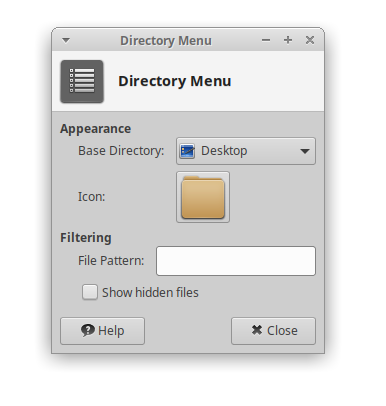
| Directory Menu Preferences |
|---|
 |
Appearance
The following options allow you to choose how the Directory Menu plugin displays a directory.
? Base Directory ! Sets the destination that the plugin will start from. ? Icon ! Allows you to choose a custom icon to be used from a range of application or system icons, or an image file.
Filtering
The Directory Menu plugin allows you to filter which files it displays using the following options:
? File Pattern
! Allows you to enter a list of patterns to determine which files are visible in a directory. If you specify more than one pattern, the list items must be separated with semicolons (e.g. *.txt;*.png).
? Show Hidden Files
! Displays hidden files in the directory menu