Separator
The Seperator panel plugin adds a seperator to the panel to add space between items.
Properties
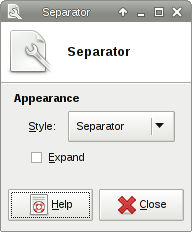
| Separator dialog |
|---|
|
Appearance
You can control the appearance of individual panel separators through these settings.
? Expand ! This expands the length of the separator. ? Style
? Transparent
! The separator is invisible.
? Separator
! A dividing line is inserted into the separator.
? Handle
! Three lines are inserted into the center of the separator.
? Dots
! Dots are shown across the separator.
? New Line
! Moves plugins that are to the right of the separator into a new line. Use this if you do not want to create a new panel, but need more space for plugins.