
xfce4-panel - Applications Menu
The Applications Menu panel plugin adds a menu to the panel that allows easy access to all installed applications, organised into categories.
Preferences
| Applications Menu Preferences |
|---|
 |
Appearance
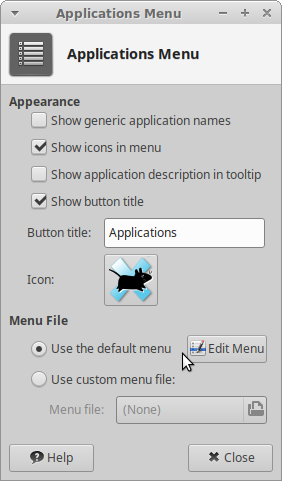
? Show generic application names ! Displays generic names rather than specific titles, for example Firefox becomes “Web Browser”, and Ristretto becomes “Image Viewer”. ? Show icons in menu ! Display category and application icons in the menu. ? Show application description in tooltip ! Shows description of application on hover. ? Show button title ! Displays button title next to icon on the panel. ? Icon ! Choose the icon for the menu to use.
Menu File
? Use the default menu ! Uses the default Applications Menu. ? Use custom menu file ! Uses a custom menu for the plugin.