
xfce4-panel - Workspace Switcher
The Workspace Switcher panel plugin allows you to switch between virtual desktops and display your workspace layout in your panel.
Properties
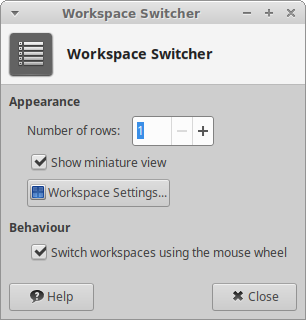
| Workspace Switcher dialog |
|---|
|
Appearance
? Number of rows ! Specify the number of rows to display your available workspaces in. ? Show miniature view ! When checked, this displays available workspaces in a miniature view. When not checked, the names of available workspaces will be visible. ? Workspace Settings ! This displays the Workspace Settings dialogue.
Behaviour
? Switch workspaces using the mousewheel ! Allows you to switch between available workspaces using the mousewheel.